What is Upgrade Predictions?
The Upgrade Predictions feature helps properties better predict occupancy by suggesting virtual room upgrades when the originally booked room type is not available. This is especially useful in cases of unassigned rooms or overbookings.
How does it work?
Upgrade Predictions Editor
The Upgrade Predictions Editor includes two tabs:
- Space Types (currently supported)
- OTAs (visible but not yet supported)
At the moment, upgrade predictions can be set up only for space types. This allows you to define upgrade paths between room types, for example:
Standard → Superior → Deluxe
How Upgrade Predictions support Housekeeping Scheduling
Upgrade Predictions are primarily used to improve housekeeping planning:
- When a reservation does not have a specific room assigned,
- or when a room type is overbooked, the system checks the upgrade rules you have defined.
If the originally booked room type is not available:
The system looks at Upgrade Option 1.
If that option is also unavailable, it continues to Upgrade Option 2, and so on.
A predicted room type is then virtually assigned for scheduling purposes.
This ensures your housekeeping schedule reflects realistic occupancy, even during busy periods.
How predictions appear in the system
On the Weekly Schedule, predicted room assignments are shown with dotted blue and green lines.
In the Reservation Details, users can see both:
the originally booked room type
the predicted (upgraded) room type
This gives teams better visibility and reduces last-minute surprises.
How to configure upgrade rules
Each property can define its own upgrade logic.
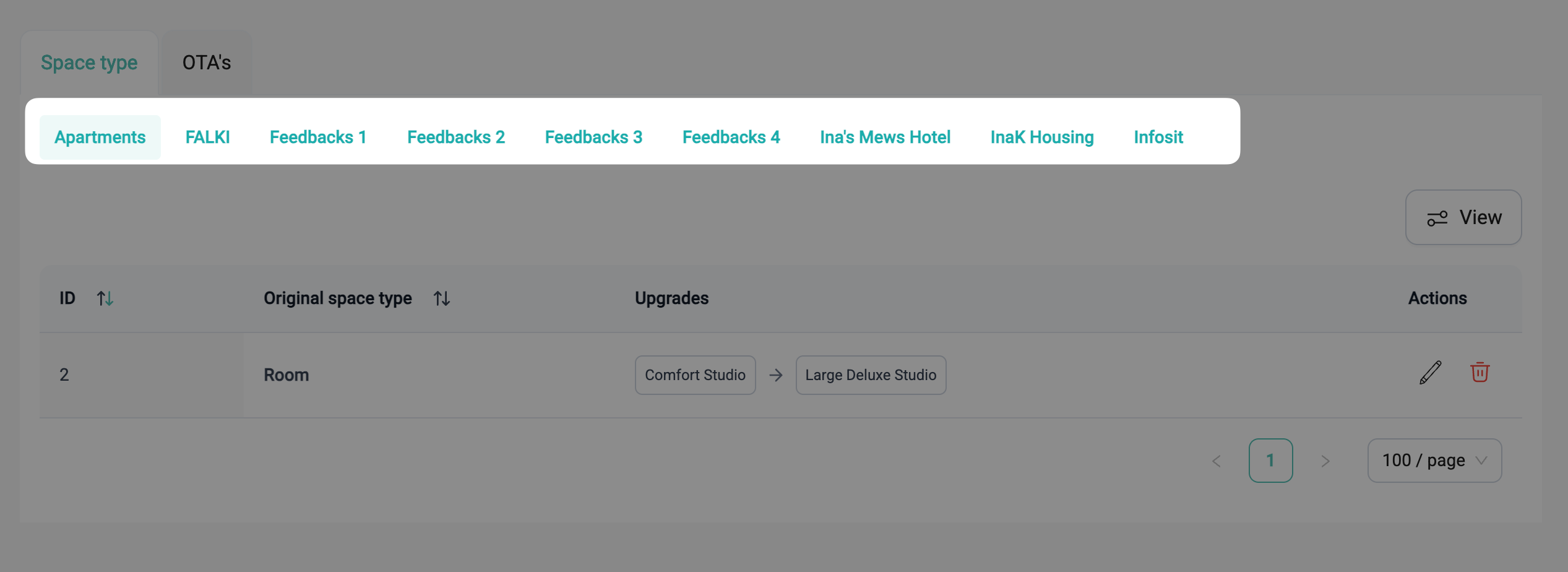
The originating space type is the room type booked on the reservation when no specific room is assigned.
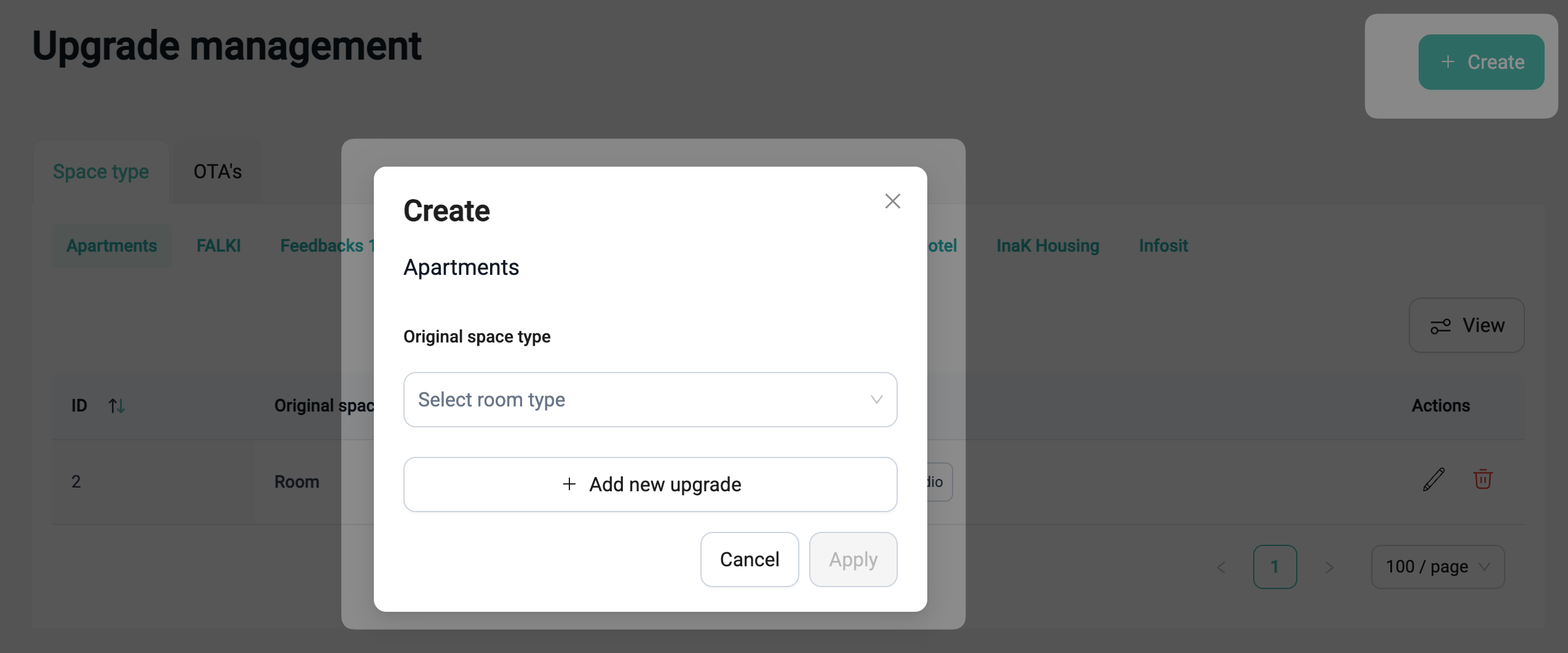
Use the Add button to define upgrade options.
You can reorder or adjust the upgrade sequence as needed.
Click Apply to save your changes.
Existing rules can be edited using the pencil icon, where you can:
Change upgrade selections
Add additional upgrade levels
Remove existing steps
? Remember to click to save any changes.
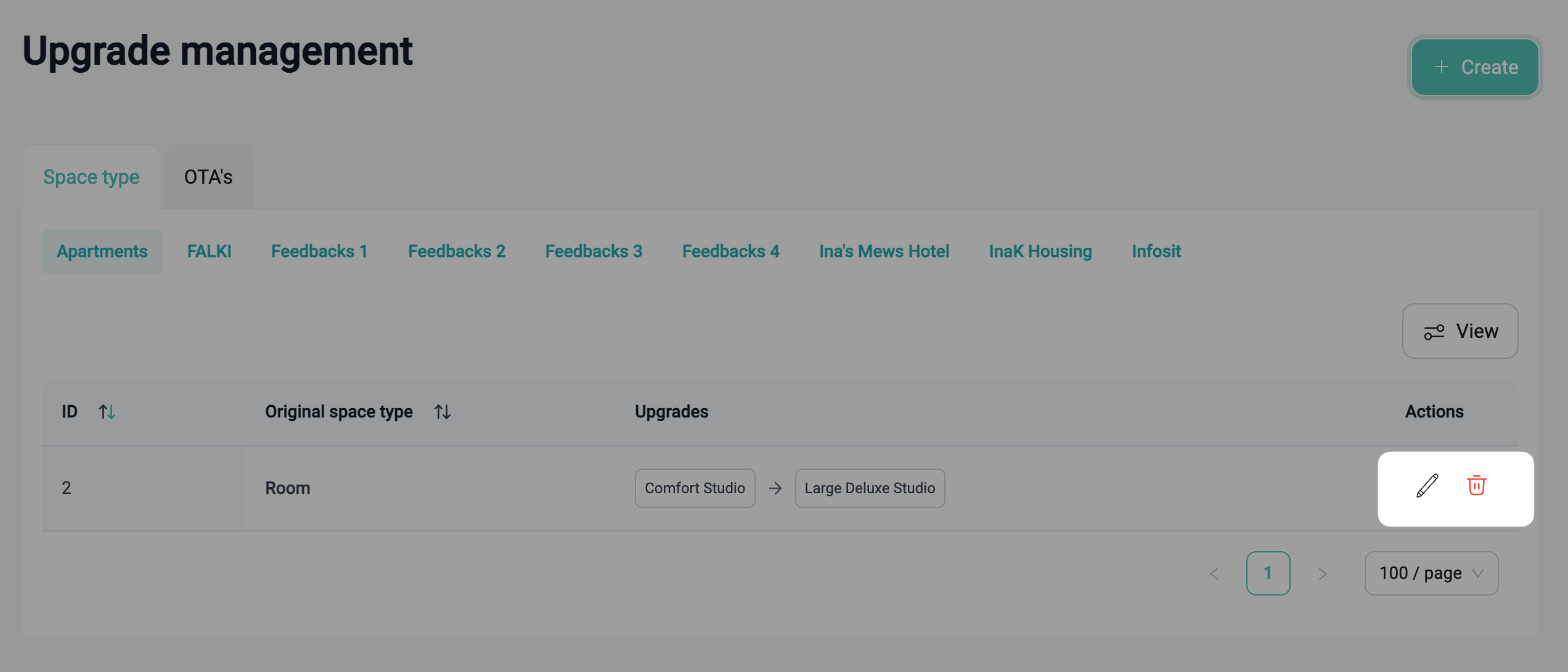
If an upgrade rule is no longer relevant, it can be deleted and recreated at any time.
Overview of upgrade rules
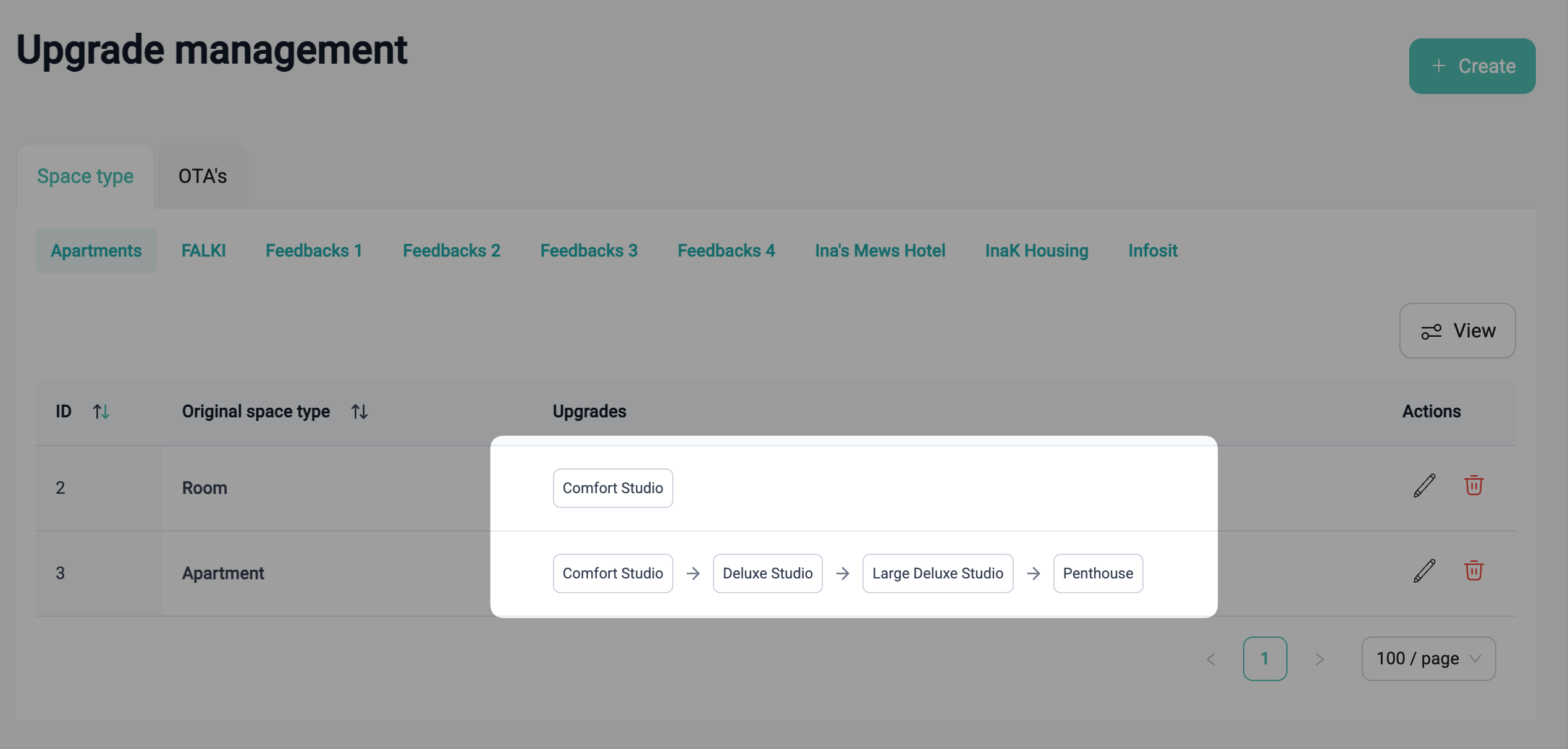
All upgrade rules are displayed in a table:
Each row represents an upgrade path for one room type.
Arrows show how the system moves from one upgrade option to the next.
How to request and set up Upgrade Predictions
Depending on your setup, Flexkeeping Support may need to activate or configure this feature for your account.
To request setup:
Contact Flexkeeping Support via your usual channel (Support Chat, Email, or your CSM).
Our team will enable the editor and ensure it is available for the correct user groups.
Common use cases
Managing overbookings
Keep housekeeping schedules accurate even when room types are oversold.Improved housekeeping forecasting
Predict which room types are likely to be occupied and plan cleaning tasks accordingly.
Better coordination between teams
Both Front Desk and Housekeeping can see predicted room types, reducing miscommunication and last-minute changes.High season and event planning
Maintain scheduling accuracy during periods of high occupancy and frequent room changes.Preparation for early check-ins or late check-outs
Knowing which rooms are likely to be occupied helps teams prioritize their work.
What is not supported
Upgrade predictions for OTAs (the tab is visible but currently inactive)
Predictions for anything other than space types
Automatic assignment of real rooms, this feature only predicts room types and does not replace your PMS room assignment
Upgrade rules across multiple properties (rules are configured per property)
Was this article helpful?
That’s Great!
Thank you for your feedback
Sorry! We couldn't be helpful
Thank you for your feedback
Feedback sent
We appreciate your effort and will try to fix the article